
• Available 7 Days-A-Week
• We Price Match
• Free Mobile Installation on orders over £199

Halo Mini Immobiliser & Total Kill Upgrade

Original price was: £1,500.00.Current price is: £1,250.00. ex.VAT

Protect your vehicle with the advanced Halo Mini immobiliser paired with the S7-rated insurance tracker from ScorpionTrack. This premium security package offers remote shutdown tracking, enhanced anti-relay attack and key-cloning protection, and mobile installation available 7 days a week. Ideal for high-value cars, modern keyless vehicles, and those required by insurers to fit high-end security systems.

SKU: H-Mini+TotalKill Category: Tags: , , ,
Description

Description


The Halo Mini Immobiliser


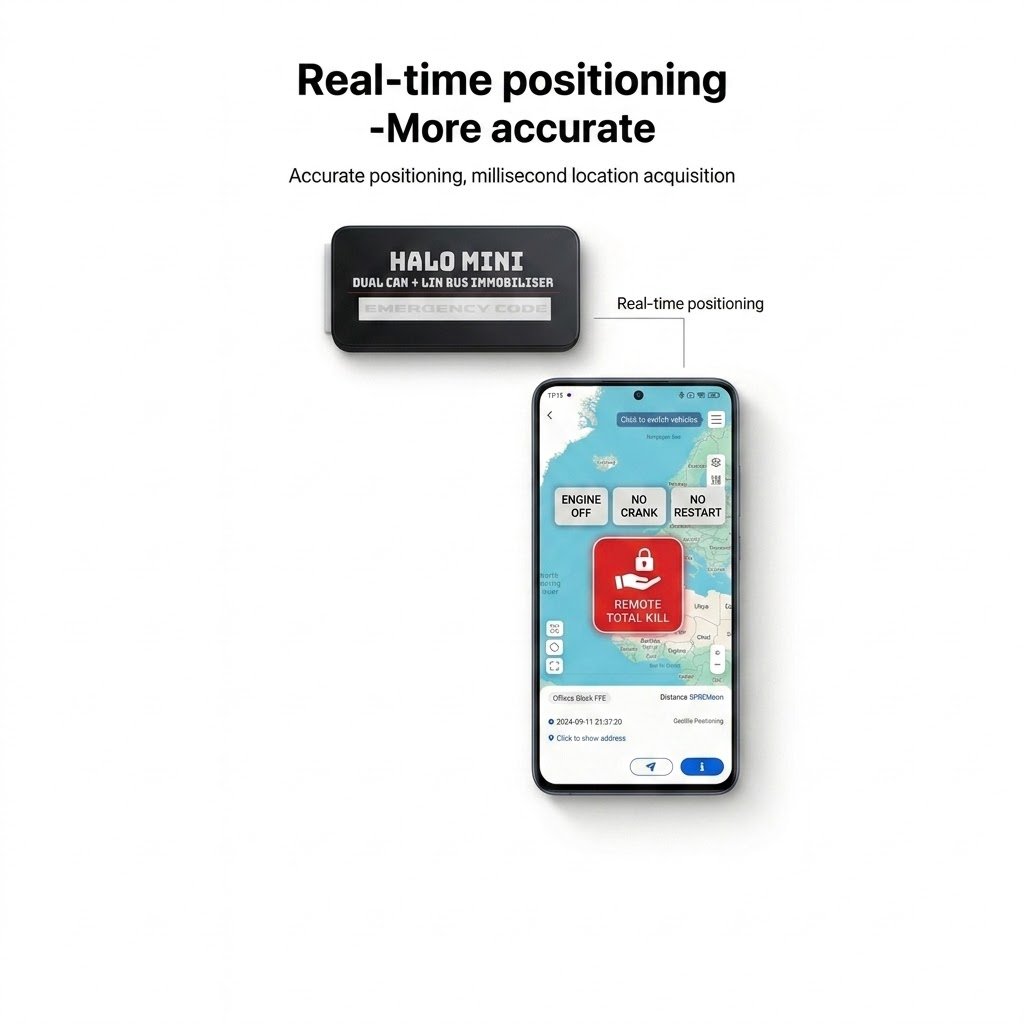
The Halo Mini with Total Kill Upgrade protects your car even when you tell a theave the Pin Code or if the vheicle is stolen from the dealer whilst in service mode. and of course it protects against all the standard key-cloning, hacking, and key theft attacks.

The Halo Mini Immobiliser provides undetectable protection for your Car with no LED indication, authorisation tags, or dedicated immobiliser circuits that can be bypassed.

This Upgrade give you access to 24/7 tracking with the ability to kill the car remotely.

The Halo Mini uses the buttons in your vehicle such as those on the steering wheel, door panels or center console, to allow you to make a unique, changeable, disarm sequence (like a PIN code) that must first be entered before you can drive your car.

Servicing Mode Feature:

The Halo Mini Immobiliser has an unlimited service mode meaning it can be disable during a vehicle service meaning when the pin code will no longer be required whilst in the garage.

Covert Installation

The Halo Mini has no flashing LEDs or keypads that can lead to where the installation of the device is located in your vehicle.

In addition, these devices are extremely compact allowing for covert installation within the standard vehicle wiring harness.

GPS Tracking System with 1-Year Free Subscription

GPS Tracker, including a 1-year subscription for free, providing 24/7 real-time vehicle monitoring via Android and iOS apps, as well as a PC portal.

  • 1-Year Subscription Included at No Extra Cost
  • 24/7/365 Vehicle Monitoring via Mobile App & PC Portal
  • Android & iOS Compatible App
  • PC Portal for Remote Monitoring


Why Choose This Upgrade?

This upgrade provides piece of mind  reliable vehicle security with a complimentary 1-year subscription. Real-time monitoring accessible from mobile devices and a PC portal offer a convenient and flexible solution for protecting high-value cars and modern keyless vehicles.

Ideal for vehicle owners who want monitoring features with easy mobile installation and app-based control.

Installation Details

Installation Details

We offer installation 7 days a week, typically scheduled within same day to 7 days of placing your order.

Once your order is placed, a member of our team will reach out to arrange a convenient date and time slot that suits you.

Mobile Installation

Mobile installation is free of charge for all orders over £200 within our coverage area.

If you require same day installation, we highly recommend calling us directly or chatting via WhatsApp.

After installation, our technician will provide a full product demonstration, ensuring you’re confident with your new system before we leave.

How To's

How To's


Find All The Products How To’s Below

How To Enter The Emergency Disarm Code

*Not Applicable to JLR With Key Not Detected *

Take note of the 6-digit override code unique to your device.(e.g.523432)

  • Switch on the ignition.
  • Press the brake pedal & hold, press the accelerator pedal x amount of times for your first digit(e.g.5).
  • Release the brake pedal and receive a flash to confirm this digit has been accepted.
  • Press the brake pedal & hold, press the accelerator pedal x amount of times for your second digit(e.g.2).
  • Release the brake pedal and receive a flash to confirm this digit has been accepted.
  • Press the brake pedal & hold, press the accelerator pedal x amount of times for your third digit(e.g.3).
  • Release the brake pedal and receive a flash to confirm this digit has been accepted.
  • Press the brake pedal & hold, press the accelerator pedal x amount of times for your fourth digit(e.g.4).
  • Release the brake pedal and receive a flash to confirm this digit has been accepted.
  • Press the brake pedal & hold, press the accelerator pedal x amount of times for your fifth digit(e.g.3).
  • Release the brake pedal and receive a flash to confirm this digit has been accepted.
  • Press the brake pedal & hold, press the accelerator pedal x amount of times for your sixth digit(e.g.2).
  • Release the brake pedal and receive 4 flashes to confirm the code has been accepted, and the system is disarmed.
  • Follow the How To Change Your Disarm Code above to set a new push sequence
Video Instructions

How To Change Your Disarm Code

JLR Key Not Detected Swap Step 1&2*

  • Switch on the Ignition.
  • Disarm the system using your push sequence.(JLR vehicles, skip this step)
  • Press the accelerator pedal 10x .
  • Recieve 2 flashes.
  • Enter the new code .
  • Turn the ignition off within 5 seconds
  • Recieve 1 flash
  • Your new code is now set
Video Instructions

How To Change Your Disarm Code

JLR Key Not Detected enter code before step 1*

To Activate

  • Switch on the ignition.
  • Disarm the system using the unique code and hold the last button.
  • Once you receive 5 flashes, release the button.
  • Service/Valet mode is now activated

To Deactivate

  • Switch on the ignition.
  • Disarm the system using the unique code and hold the last button.
  • Once you receive 1 flash, release the button.
  • Immobiliser mode is now activated
Video Instructions

You may also like…

Shopping cart

0
image/svg+xml

No products in the cart.